HOW TO RESCHEDULE YOUR LESSONS - Watch the video below
HOW TO RESCHEDULE A LESSON
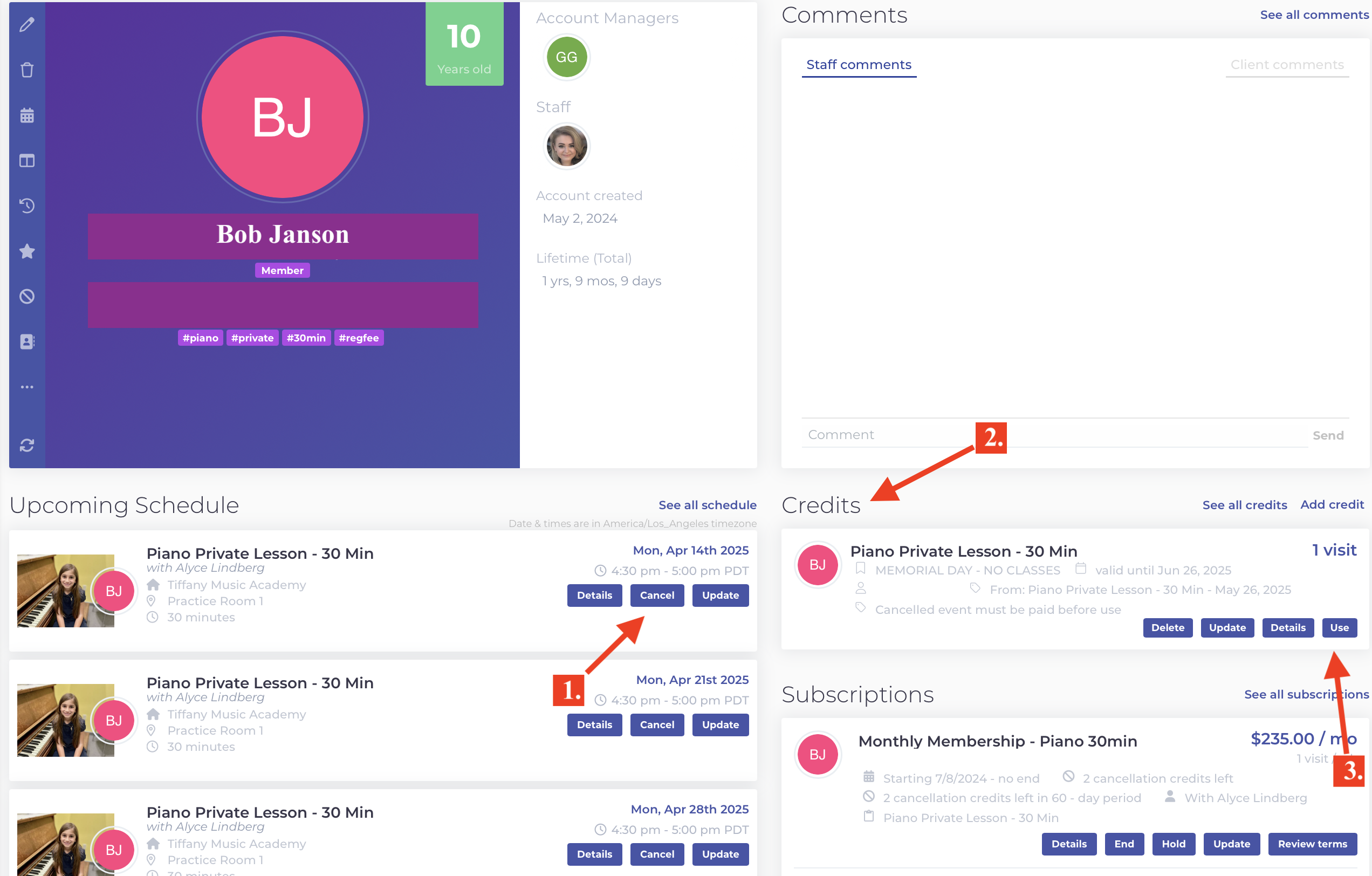
1.) Login to your student account from the button above.
2.) Click cancel on the lesson date you wish to cancel. (left side)
3.) A make up credit will be issued. (right side)
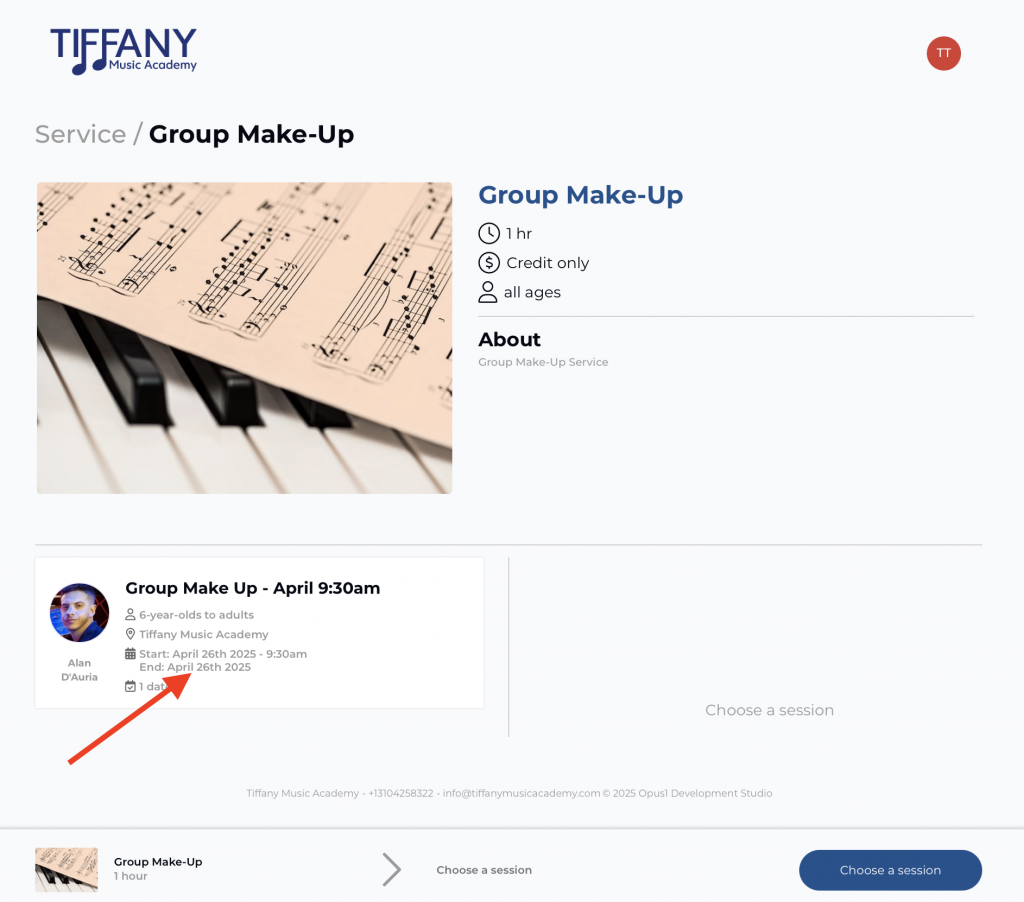
4.) Click "Use" on the credit. Click on different dates on the calendar to find a day/time with any teacher.
5.) Select the class date and time you would like or group class make up date.
6.) Click "Choose A Session."
7.) Agree to the terms
8.) Click Book
9.) Your rescheduled lesson is all set.
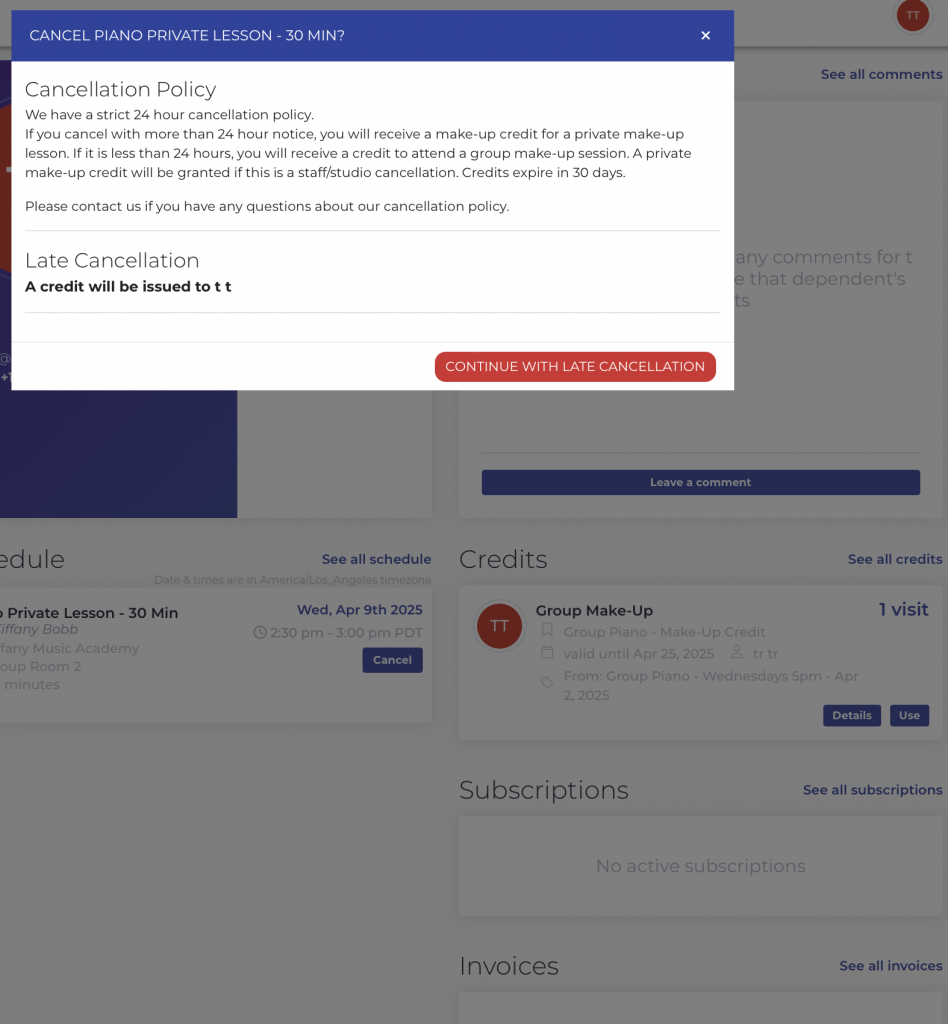
Group Class Cancelations
Missed classes will be issued an automatic "make up credit" in their account. You may use this credit to attend another group class or our monthly group make up class. Credits expires in 30 days.